Preorder available

A medication tracker that fits real routines.

Smart reminders, prescription scanning, refill alerts, and a home-screen widget help you stay on track with every dose.

  • Your data stays on your device
  • No ads, ever
  • Sign in with Apple

Built for anyone who takes medication.

Kapshul is a simple, supportive medication tracker designed for all routines — whether you take daily prescriptions, manage short-term treatments, use supplements, or follow a specialized regimen. We built it to make managing any medication easier, without clutter or compromise. Your details stay private and on your device.

What makes Kapshul different.

Metformin 500mg

Prescription Scanning

Take a quick photo of your prescription label. Kapshul fills in the medication, dose, and instructions for you, so you spend less time typing and more time focusing on your health.

Status legend with Early, On time, A bit late, Very late, and Missed

Traffic-Light Alerts

Each dose shows a single colour. Green for on time, amber for late, red for overdue. You can see your progress at a glance, without needing to read the details.

Home Base Alerts

If you have a dose due, Kapshul reminds you before you leave home, so you can take it if needed.

Effortless medication entry.

Kapshul uses the FDA medication database, trusted by clinicians and recognized worldwide. Just search for your medication, choose the strength, and the details fill in automatically. If you don’t see what you need, you can add it yourself in a few seconds.

In-app medication search

Search a database that knows the details.

Type in a medication name, and Kapshul finds nearly every strength and form — tablets, capsules, liquids, patches, inhalers — with the right dosage details already filled in. No more typing out every dose or worrying about spelling.

For prescriptions specifically, the scanner can do this for you in a single photo — but the database is there for the times when typing the name is faster than digging the bottle out.

Metformin5,000+

Search the FDA database

5,000+ medications with brand names, generics, and pre-filled dosage details. Includes prescription medications, over-the-counter remedies, vitamins, and supplements. Used in the US and recognized internationally.

Manual add, when you need it

Regional brands, herbal remedies, anything obscure or specialized that's not in the database — add it manually in seconds with the same scheduling and reminder features as everything else.

Every medication type

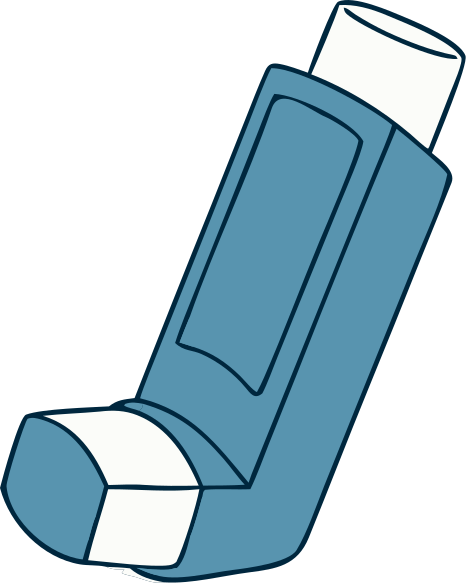
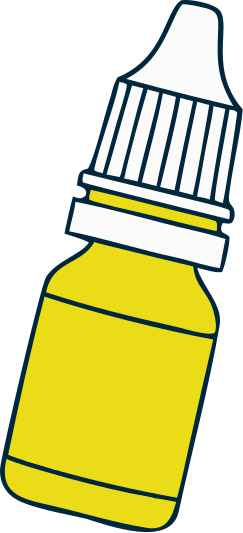
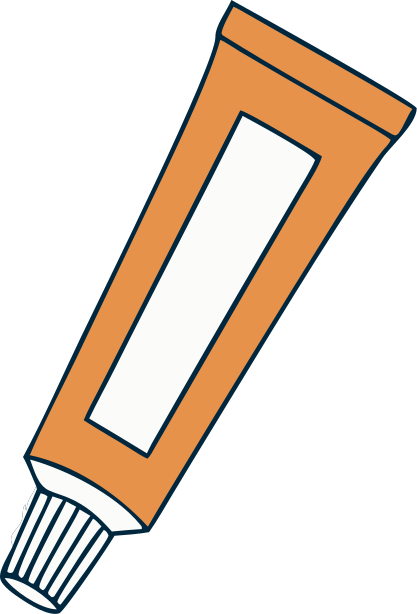
Kapshul tracks all forms: tablets, capsules, liquids, inhalers, injections, patches, creams, drops.

Personal tier

Our home-screen widget makes it easy.

See your doses due today — without opening the app.

Kapshul home screen widget showing today's medications

Check what’s next at a glance.

Check what’s next without checking the app each time. With the Personal plan, you can add the Kapshul widget to your iPhone’s home screen so you can see your doses due today, in order.

Tapping the row or the full-sized app alert opens the main app so you can do what you need there.

Reminders, your way

Customize every medication’s notification.

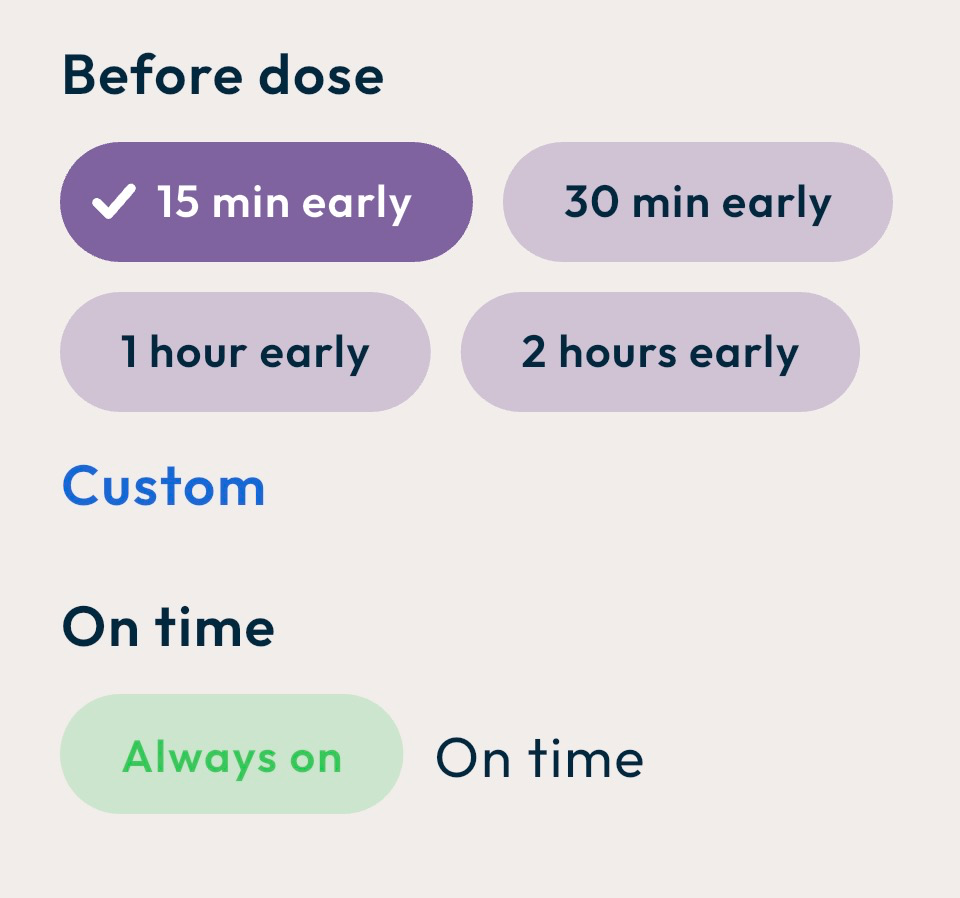
Set as many reminders as you need for each medication — early, on time, late, or persistent. You only need to set it up once per medication.
Early, on time, and late — in one place.

One settings screen, three alert states. Choose how far ahead the early reminder fires, when “late” starts, and how the alert escalates if still untapped. Every alert respects your device settings.

Before-dose reminder
On-time alert
Late-reminder escalation

Full-screen alerts that are hard to miss.

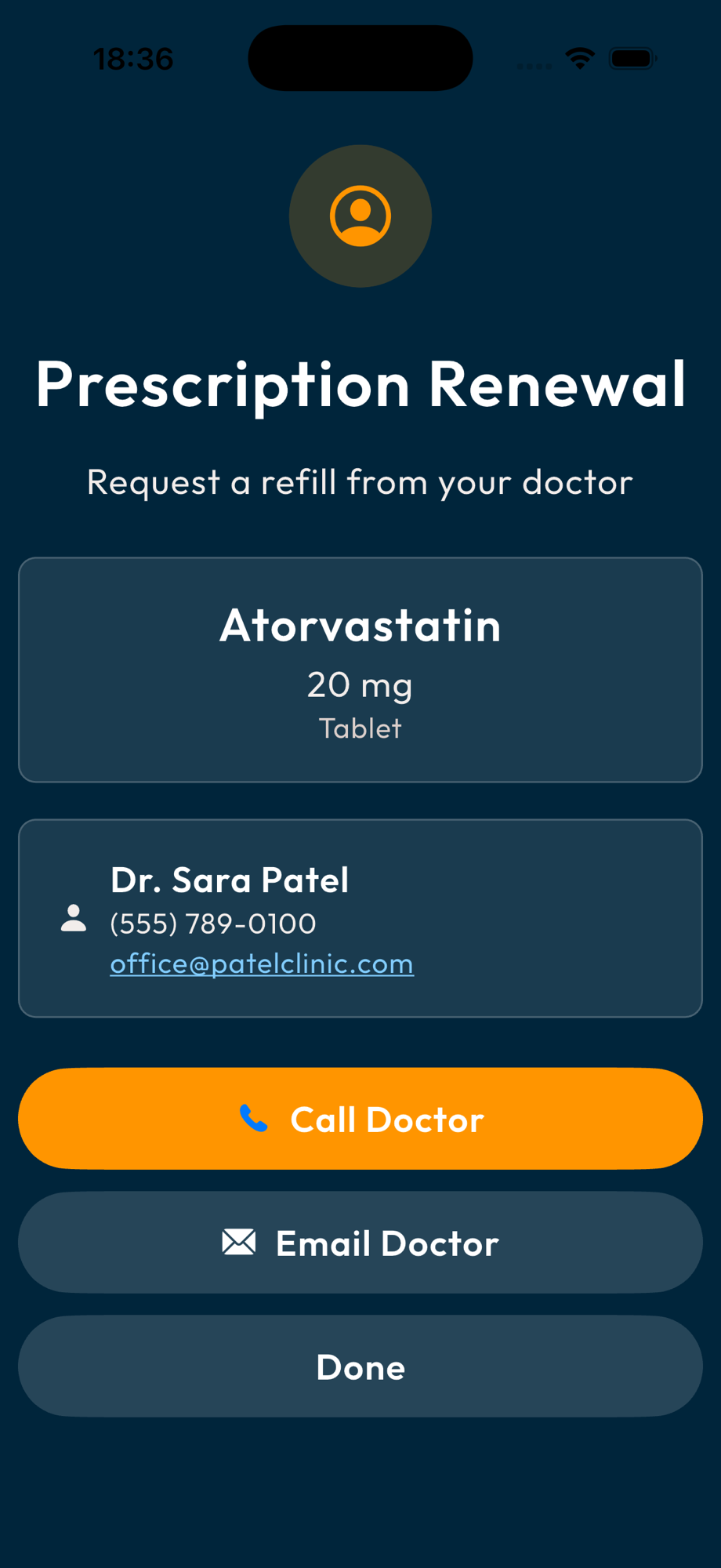
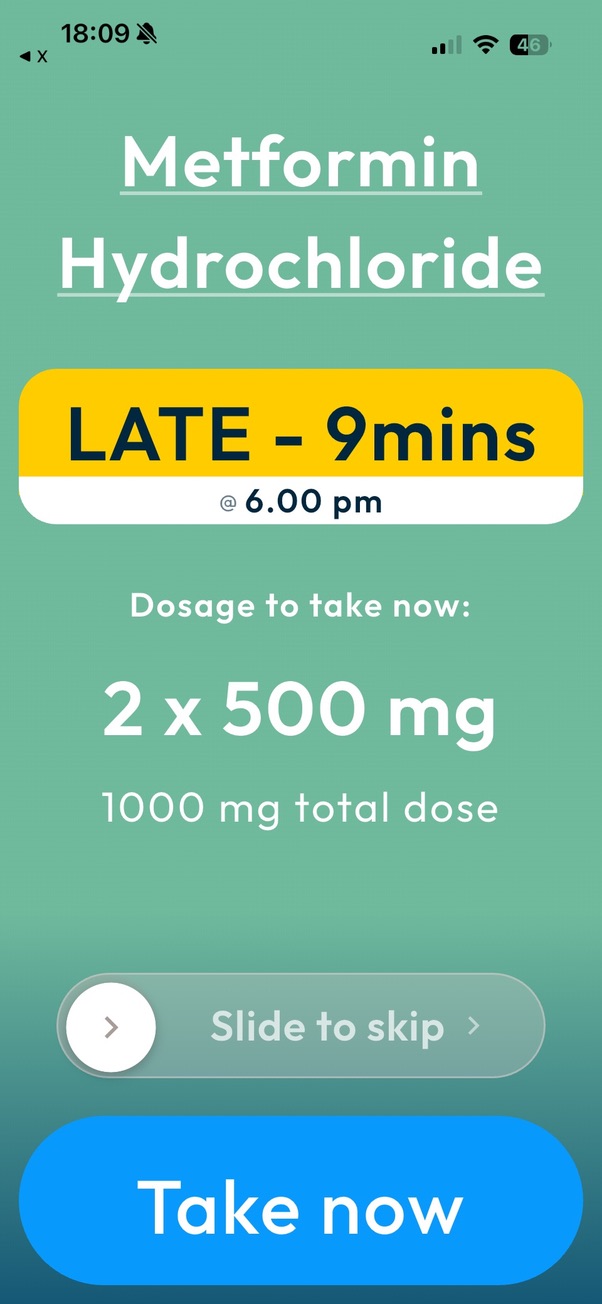
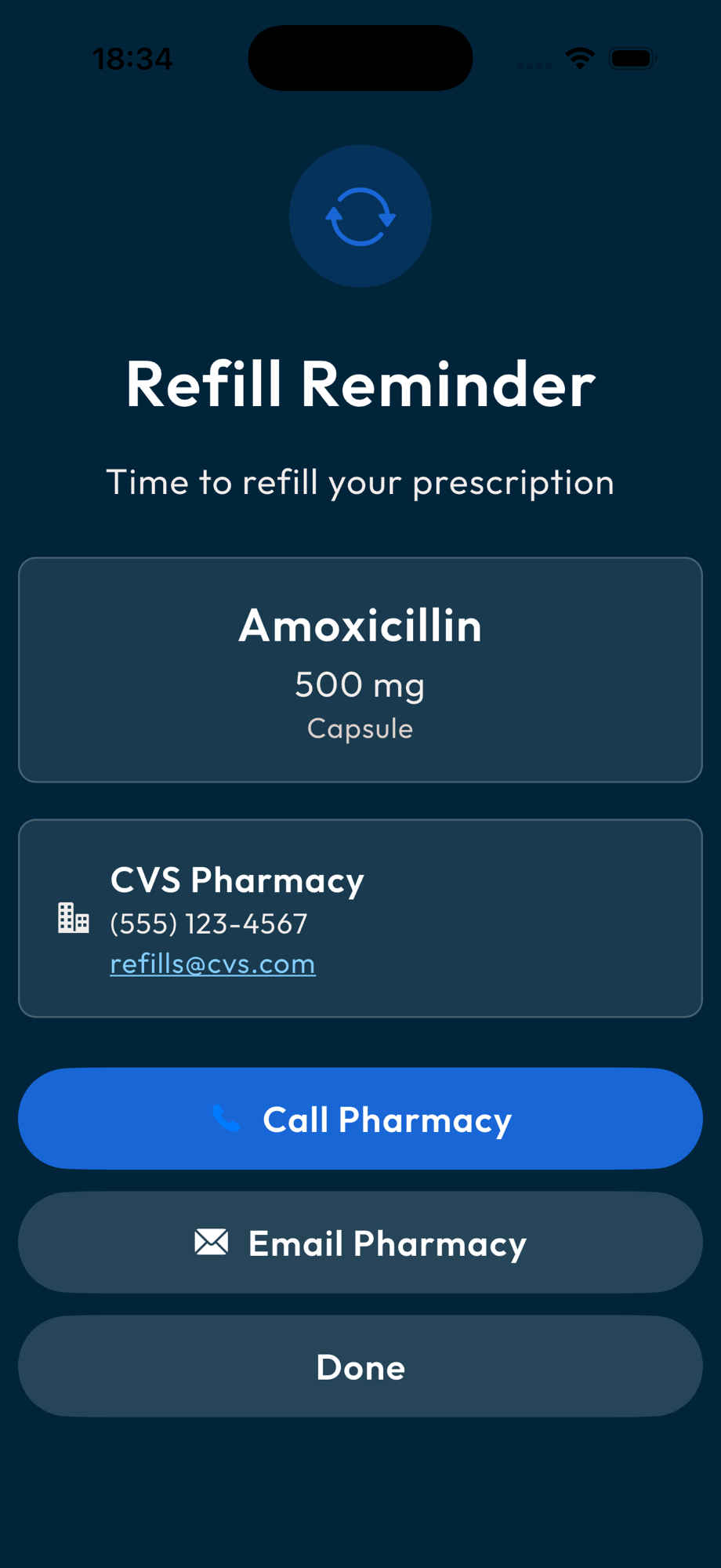
When Kapshul needs your attention — a dose to take, a pharmacy refill, or a prescription nearing renewal — it opens a full-screen alert with everything you need right up front. Mark a dose taken, call your pharmacy, or email your doctor — all from a single tap.

Alert sounds start gentle and become more persistent if action is still needed. Every reminder respects your iOS Focus and Do Not Disturb settings.

Prescription renewal alert with Call Doctor and Email Doctor actions
Full-screen dose alert for Metformin Hydrochloride with Slide to skip and Take now actions
Refill reminder alert with Call Pharmacy and Email Pharmacy actions
Keep Pestering repeated alerts
Critical doses

Keep Pestering

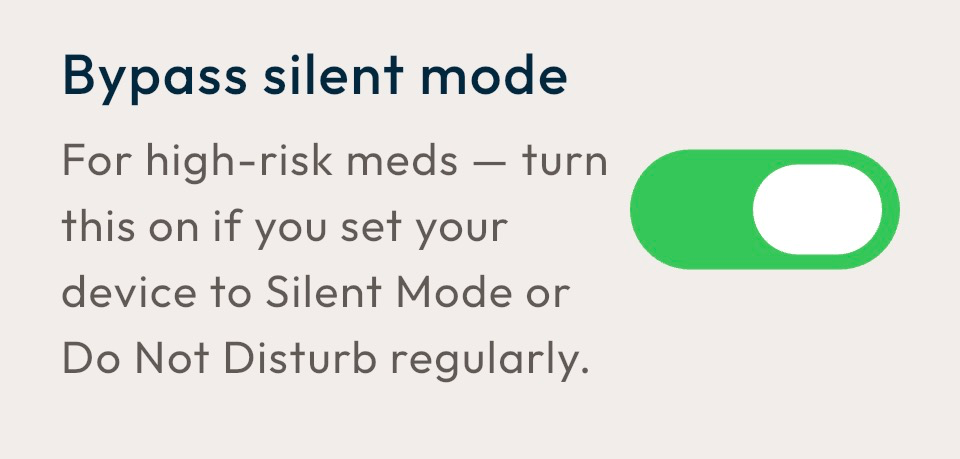
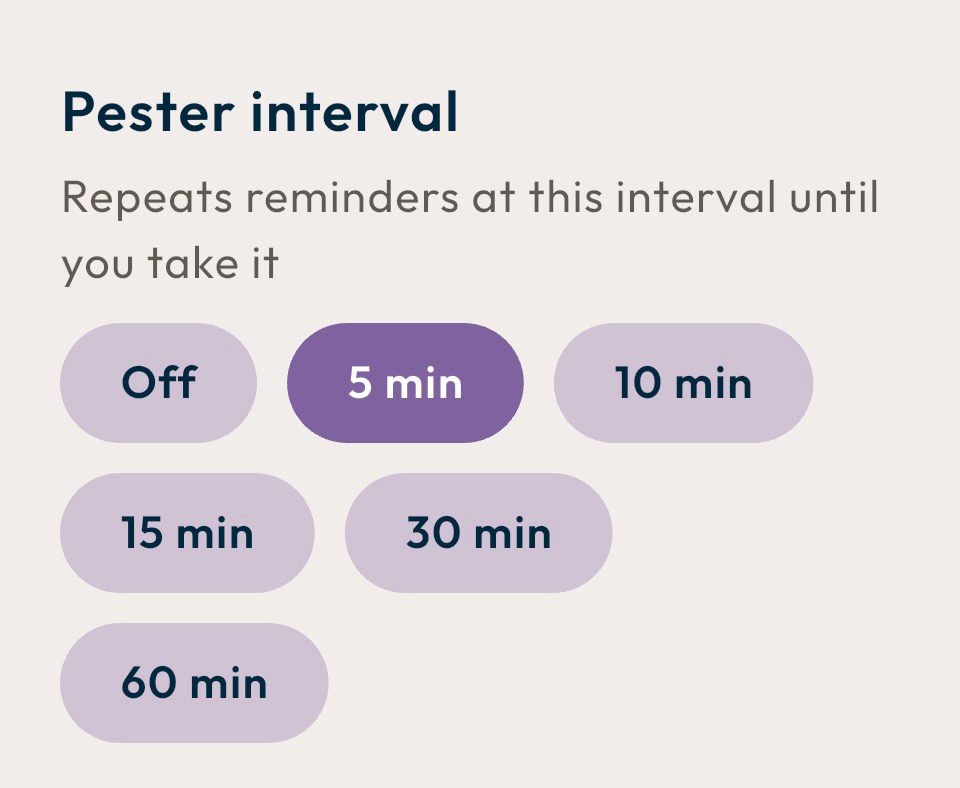
For critical medications, Keep Pestering sends repeat alerts every 15–90 minutes until you act.

Off by default. Opt in only for the medications that earn their keep.

Privacy is our foundation.

Sign in with Apple. No email or password to manage. Your medications, schedules, and history are stored on your iPhone and in iCloud backups if enabled. Kapshul never sees this data.

WHAT WE STORE

Only your Apple ID and subscription status.

WHAT WE DON'T

Your medications, doses, or history — we never see any of it.

ONE-TAP DELETE

Delete your data from server, device, and iCloud in one tap. GDPR / CCPA compliant.

YOUR LOCATION NEVER LEAVES YOUR PHONE

Home Base Alerts use iOS region monitoring. At setup, your phone reads your GPS and Wi-Fi once. After that, iOS handles monitoring. Location stays on your phone; we never see it. iOS sends a local alert if you leave with a dose pending. No court, subpoena, or advertiser can access your location.

Designed for Everyone, so anyone can use it.

Kapshul is designed for accessibility. Larger buttons and text than needed, high-contrast choices, and a calm, clear interface make everything easy to see and use.

Good design isn’t just reserved for the able-bodied — it’s for everyone.

AaAaAa

Larger text and tap targets

Body text exceeds iOS legibility standards and respects iOS Dynamic Type — scale it up if needed. Buttons are sized well above iOS minimums with generous spacing, so accidental taps are rare even on shaky hands.

“Hey Siri, take my Metformin”

Just say it

Talk to Kapshul. “Hey Siri, take my Metformin” — done. Ask your next dose, skip, check refills, see your week, all by voice with your phone in your pocket. Or turn on iOS Voice Control and drive the whole app hands-free: “Tap take”, “Tap skip”, done. Apple Intelligence makes Kapshul a conversation, not a series of taps.

Per-medication colours

Each medication is assigned its own colour. The colour shows up on the home screen, in the dose card, on the widget, and in the notification — so you can spot which med is which without reading anything.

Explore every Kapshul feature.

The Free tier is limited to 2 medications. The Personal tier unlocks unlimited medications, prescription scanning, and home-based alerts.

Traffic-Light Alerts

The status of every dose at a glance — no reading required.

Computed from dose time + configurable late/overdue thresholds (defaults: 15 min late, 30 min overdue).

Smart Reminders

Schedules that adapt to your routine — daily, every X hours, weekly, monthly, one-off, as-needed.

iOS local notifications. Respects Focus modes and Do Not Disturb. Re-schedules on every dose action.

Keep Pestering

Persistent reminders for the doses where missing one matters. Off by default — opt in per medication.

Replenishment notifications at random 15–90 min offsets until the dose is taken or skipped.

Refill + Doctor-Renewal Alerts

Get reminded before you run out, and before your prescription does.

For each medication, you tell Kapshul how many days of supply you have left and how far ahead you want a heads-up — both for picking up a refill at the pharmacy and for getting your doctor to renew the script. Each medication can be set up in its own way.

Trends & History

Weekly and monthly adherence views. Useful for your own awareness, and for showing your doctor.

Personal tier only

Prescription Scanning

Point your camera at a prescription label. Kapshul reads it and pre-fills the medication form for you.

The photo is sent to Google's Gemini vision model, which reads the label and returns the medication name, dose, and instructions. Kapshul uses that to fill the form and never keeps the image. You're asked once before your first scan, and you can switch the feature off in Settings whenever you want.

Home Base Alerts

A reminder before you walk out the door if a dose is still pending.

When you set it up, your iPhone learns where home is. After that, iOS itself watches the boundary and wakes Kapshul if you're leaving with a dose still due. Your home Wi-Fi acts as a sanity check, so a quick walk past the front door doesn't trip it. Your home location stays on your iPhone — Kapshul's servers never see it.

Home Screen Widget

Check what's next without checking the app each time. Your doses due today, in order, right on your home screen.

Tapping a row or the full-sized app alert opens Kapshul straight to that dose. The widget refreshes as you take and skip throughout the day, so it always reflects what's actually next.
Built for

Made to meet you where you are.

Tablets
Tablets
Liquids
Liquids
Inhalers
Inhalers
Drops
Drops
Patches
Patches
Creams
Creams
Injections
Injections
Pills
Pills

More than just pills

Inhalers, eye drops, ear drops, topical creams, transdermal patches, injections, liquid suspensions — Kapshul tracks any medication you take, not just the ones that come in a bottle. Each medication type comes with the right schedule template out of the box: a once-weekly patch and a four-times-a-day cream both work as they should, without you wrestling with the settings.

M
T
W
T
F
S
S

Long-term conditions

Diabetes, hypertension, thyroid, autoimmune — the daily routines that benefit most from a single source of truth.

7-day course

Short-term antibiotic courses

Prescriptions where missing a dose lets the infection bounce back. Set the start date and duration; Kapshul handles the schedule and stops reminding you when the course ends.

4hinterval

Post-treatment and surgery

Pain schedules where the timing windows actually matter — the right dose at the right interval, with extensive reminders when it counts most.

Complex medication routines

Multiple meds, different schedules, with-food vs. without-food rules, weekly vs. daily timing. Whether you're taking three or thirteen, Kapshul keeps them all straight.

How we compare

Kapshul vs Medisafe vs MyTherapy.

An honest side-by-side. Both competitors are 10+ years old and have larger install bases. Here’s where we differ.

Kapshul
  • Free tier
    2 meds, ad-free
  • Where your data lives
    Your device + iCloud
  • Prescription scanning
    Yes
  • Home-departure reminder
    Yes — fully on-device
  • Home screen widget
    Yes — Personal tier
  • Drug-interaction warnings
    No (deliberately — see your doctor)
  • Caregiver / family share
    Coming soon — SMS alerts (Personal tier)
  • Apple Watch app
    Coming post-launch
  • Apple Health integration
    Coming post-launch
  • Sign-in
    Sign in with Apple only
  • Account deletion
    One-tap (server + device + iCloud)
  • Privacy posture
    We never see your meds
Medisafe
  • Free tier
    2 meds, ad-free
  • Where your data lives
    Medisafe servers
  • Prescription scanning
    No
  • Home-departure reminder
    No
  • Home screen widget
    Yes
  • Drug-interaction warnings
    Yes
  • Caregiver / family share
    Yes (Medfriends)
  • Apple Watch app
    Yes
  • Apple Health integration
    Yes
  • Sign-in
    Email or social
  • Account deletion
    Email request
  • Privacy posture
    HIPAA + pharma partners
MyTherapy
  • Free tier
    Unlimited, with ads
  • Where your data lives
    MyTherapy + ad partners
  • Prescription scanning
    No
  • Home-departure reminder
    No
  • Home screen widget
    Limited
  • Drug-interaction warnings
    Some
  • Caregiver / family share
    Yes
  • Apple Watch app
    Yes
  • Apple Health integration
    Yes
  • Sign-in
    Email or social
  • Account deletion
    Email request
  • Privacy posture
    Shares with advertisers
Pricing

Simple plans. Both stay private.

Both tiers are ad-free. Both keep your data on your device. Cancel anytime in Apple ID settings.

Image placeholder
App Store subscription paywall mockup with the 'Free vs Personal' comparison.

Free

$0 forever
  • Track up to 2 medications
  • All core features
  • Smart reminders & traffic-light alerts
  • Pharmacy + doctor refill alerts
  • 5,000+ medication database
Most popular

Personal

[App Store price] / mo or / yr
  • Everything in Free
  • Unlimited medications
  • Prescription scanning
  • Home Base Alerts (departure reminders)
  • Home screen widget
  • Extended history
  • Everything we add next

Pricing is pulled live from the App Store and shown in your local currency.

Ready to take the mental load off?

Free to download. Free tier covers most people. iPhone with iOS 17 or later.

Download on the App Store

Not on the App Store yet? Join the beta and get the app free at launch.

Stay in the loop

Get product updates as we ship.

The occasional note when we ship something worth telling you about.

Unsubscribe anytime. We never share your address. We never email you about anything other than Kapshul.

Common questions

Things people usually want to know.

Where does my medication data live?+
On your iPhone. If you turn on iCloud backup, a copy is stored in your iCloud Drive — the same place your phone backs up everything else. It never reaches Kapshul's servers.
Do you sell my data to pharmacies or advertisers?+
No. We can't — we don't have it. Our servers store only your Apple user ID and subscription status. The medication data is on your phone.
Can I share my medication list with a caregiver or family member?+
Coming soon to the Personal tier. You’ll be able to add a caregiver who receives an SMS if you’re late taking a dose — so the right person knows without you having to broadcast every move. Single-user is the default; caregiver alerts are opt-in, dose-specific, and never share your full medication history.
Is there an Apple Watch app?+
Not yet — it's planned post-launch. The home screen widget covers the most common 'check next dose' use case in the meantime.
What happens if I delete my account?+
One tap in Settings revokes your Sign in with Apple link, deletes the server-side account record, wipes the on-device database, and removes your iCloud backup — all at once. GDPR Article 17 / CCPA compliant. There’s no going back if you delete from your iCloud; we don’t keep it!
Why no drug-interaction warnings?+
Deliberate. Drug interactions are clinical guidance and your doctor's job — not a tracker app's. We don't want to give you advice we're not qualified to give.